

Photo and Video Editing for Seniors (Computer Books for Seniors series)
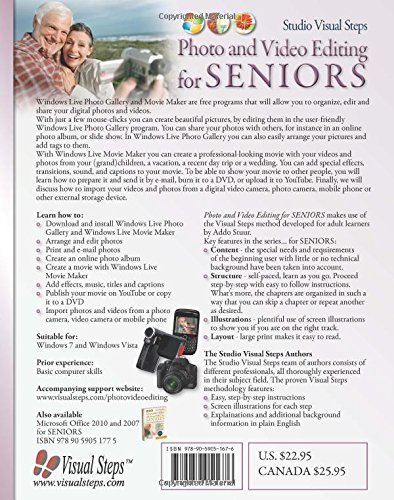
Windows Live Photo Gallery and Movie Maker are free programs that will allow you to organize, edit and share your digital photos and videos. In the step-by-step computer book Photo and Video Editing for Seniors you will learn to work with these photo and video editing programs from Windows Live. With just a few mouse-clicks you can create beautiful pictures, by editing them in the user-friendly Windows Live Photo Gallery program. You can share your photos with others, for instance in an online photo album, or slide show. In Windows Live Photo Gallery you can also easily arrange your pictures and add tags to them. With Windows Live Movie Maker you can create a professional-looking movie with your videos and photos from your (grand)children, a vacation, a recent day trip or a wedding. You can add special effects, transitions, sound, and captions to your movie. To be able to show your movie to other people, you will learn how to prepare it and send it by e-mail, burn it to a DVD, or upload it to YouTube. Finally, we will discuss how to import your videos and photos from a digital video camera, photo camera, mobile phone or other external storage device.
Learn how to:
Download and install Windows Live Photo Gallery and Windows Live Movie Maker Download and install Windows Live Photo Gallery and Windows Live Movie Maker Arrange and edit photos Arrange and edit photos Print and e-mail photos Print and e-mail photos Create an online photo album Create an online photo album Create a movie with Windows Live Movie Maker Create a movie with Windows Live Movie Maker Add effects, music, titles and captions Add effects, music, titles and captions Publish your movie on YouTube or copy it to a DVD Publish your movie on YouTube or copy it to a DVD Import photos and videos from a photo camera, video camera or mobile phone Import photos and videos from a photo camera, video camera or mobile phone Suitable for:
Windows 10, 8.1, 7 and Vista
$8.25
Specification: Photo and Video Editing for Seniors (Computer Books for Seniors series)
User Reviews
Be the first to review “Photo and Video Editing for Seniors (Computer Books for Seniors series)” Cancel reply
Everydoo brings you the best products, expert reviews, and top deals across all niches, helping you shop smarter and save more—all in one place.
Categories
Menu
Useful Links
© Copyright 2024 EveryDoo. All Rights Reserved
There are no reviews yet.