Find What You Love. Save While You Shop.
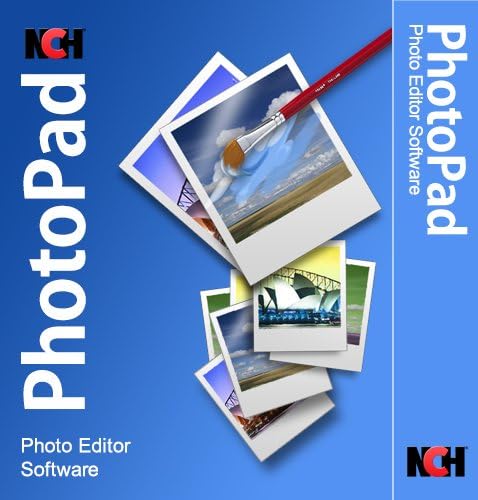
- Photo Image Editing Software
- Comparable to Photoshop
The Ultimate Tool for Video Creation on PC and MobileRevolutionize Your Videos.At the intersection of creativity and technology lies CapCut—a game-changer in video editing. This isn’t just another tool; it’s the one that will elevate your content to a whole new level.Why CapCut? Because simplicity meets power. CapCut is designed for everyone, from beginners to pros, and works seamlessly on both PC and mobile. It’s intuitive, yet packed with features that let you create videos that don’t just tell a story—they inspire.What’s Inside?
Seamless Start: We’ve made it easy. Get CapCut on your PC or mobile device in minutes and start creating.
Intuitive Interface: The tools you need, exactly where you need them. CapCut’s interface is as intuitive as it is powerful, whether you’re using a mouse or your fingertips.
Professional Editing: From basic cuts to Hollywood-level effects, this book shows you how to unlock CapCut’s full potential on both platforms.
Sound Mastery: Your videos deserve great audio. Learn to enhance, mix, and transform sound effortlessly, whether you’re on the go or at your desk.
Stay Ahead: Trends change. CapCut doesn’t just keep up—it leads. Learn the techniques that will set your content apart, no matter where you edit.
Advanced Techniques: Speed, effects, transitions—master them all, with a touch of elegance on either PC or mobile.
Tailored to You: Whether you’re editing on a PC or mobile, this guide fits your workflow perfectly.
Social Integration: Your audience is waiting. Share your creations with the world, directly from CapCut, on any device.
Collaborative Power: Work smarter with real-time collaboration, auto-save, and custom features that make your workflow seamless, whether you’re at home or on the move.
Collaborative Power: Work smarter with real-time collaboration, auto-save, and custom features that make your workflow seamless, whether you’re at home or on the move.Who Is This For? For the creators. The storytellers. The ones who see the world differently and want to share their vision with others—on PC, mobile, or both.Why Now? The future of video editing is here, and it’s called CapCut. It’s time to create something amazing. It’s time to master CapCut.

- All the tools you need to ensure color accuracy from capture through editing, display and print
- Protective metal case houses all the tools, making it easy to take with you wherever you’re shooting
- Spyder Print lets you create multiple custom profiles for any combo of printers, inks and paper for full color control
- SpyderPro calibrates your monitor ensuring precise and consistent color in the latest display technologies
- Spyder Cube surpasses a traditional grey card for incomparable white balance correction, exposure and contrast levels
- All the tools you need to ensure the photos and videos you create will capture and display accurate, consistent color
- SpyderPro calibrates your monitor ensuring precise and consistent color in the latest display technologies
- Spyder Checkr Video gives you the most precise, comprehensive video color information at a glance
- Spyder Checkr Photo Card Set lets you seamlessly customize your specific hybrid photo/video workflow cost-effectively
- Spyder Cube surpasses a traditional grey card for incomparable white balance correction, exposure and contrast levels
Following the arrival of game-changing new cameras from Nikon and Canon, the hottest area in the world of photography has been combining high-definition video capability with all the advantages of SLR’s interchangeable lenses. For the first time, full cinematic creativity is within anyone’s grasp.
With its tips-based structure, this book can be dipped into for reference for movie-makers of any background, or read cover to cover for a complete course in movie-making. With four case studies from real-world professional projects, including a TV advertisement and a music video, 101 Top Tips for DSLR Video provides invaluable guidance for any budding filmmakers.
Top Tips for DSLR Video also includes four case studies from real-world professional projects, including a TV advertisement and a music video. Taking you all the way from understanding and choosing the technology, to planning, shooting, editing, and finally publishing your movie, this book contains everything you really need to know about making video with your digital SLR camera.
- Your gateway to advanced video editing software loaded with powerful tools, an intuitive interface, and creative titles, transitions, filters, and effects that deliver quality productions—all with incredible stability and performance
- Jumpstart a new project with a themed template or easily combine photos and videos across a six-track timeline, then fine-tune every parameter of your production with enhanced keyframe editing and management
- Tap into tools for Stop Motion Animation, Selective Color, Split Screen Video, Screen Recording, and MultiCam Editing to take your edits to the next level
- Produce cinema-quality sound by layering video and audio tracks, adjusting the volume, adding fade effects, recording voiceover, and tapping into royalty-free music and sound effects
- Create high-quality DVDs with 20+ stylized menus and chapters, upload directly to YouTube or Vimeo, or export to popular file formats to share with your audience
- Enjoy incredible improvements to product stability, reliability, and performance from Pinnacle Studio – it’s faster, better, and more efficient than ever with smooth and streamlined video editing from the moment you install it
- Expand your expertise and learn new techniques with professional tips and tricks from a library of learning resources and video tutorials
Most moviegoers think of editing and special effects as distinct components of the filmmaking process. We might even conceive of them as polar opposites, since effective film editing is often subtle and almost invisible, whereas special effects frequently call attention to themselves. Yet, film editors and visual effects artists have worked hand-in-hand from the dawn of cinema to the present day. Editing and Special/Visual Effects brings together a diverse range of film scholars who trace how the arts of editing and effects have evolved in tandem. Collectively, the contributors demonstrate how these two crafts have been integral to cinematic history, starting with the “trick films” of the early silent era, which astounded audiences by splicing in or editing out key frames, all the way up to cutting-edge effects technologies and concealed edits used to create the illusions. Throughout, readers learn about a variety of filmmaking techniques, from classic Hollywood’s rear projection and matte shots to the fast cuts and wall-to-wall CGI of the contemporary blockbuster. In addition to providing a rich historical overview, Editing and Special/Visual Effects supplies multiple perspectives on these twinned crafts, introducing readers to the analog and digital tools used in each craft, showing the impact of changes in the film industry, and giving the reader a new appreciation for the processes of artistic collaboration they involve.
The assistant film editor has many more responsibilities than simply helping to edit the picture. He or she must work with all the numerous members of the filmmaking team, juggle the demands of copious amounts of footage from various sources, keep notes during the shoots dailies screenings, process sound, oversee the creation of optical effects and integrate them in the editors workflow, and many more detail-oriented, simultaneous tasks that require skills on a technical and organizational level. Widely regarded as THE guide for helping you get through it all, Norman Hollyn, editing whiz and longtime instructor, is the ultimate master at making the process fun while making you a pro. In this fourth edition, he continues in the celebrated style of his previous editions with a hands-on approach, assuming the role of an assistant editor to describe the myriad workflows involved. Not only will you learn everything you need to know about how the editing process works, but youll gain the wisdom that normally only comes with on-the-job experience, putting you way ahead in your career and making you a better, more efficient editor.
In The Film Editing Room Handbook, youll learn:
Everything the assistant editor needs to know on the jobfrom pre-production to the shoot, to editing and adding visual effects and sound, to the mix and color finishing.
How to work in a variety of scenarios, whether it is a feature, television, commercial, musical, or web-based project.
Best practices for organizing and optimizing your systems and files, useful to editors working on any nonlinear editing platform.
How to find a job in this competitive market and put together an attractive résumé that proves youve got the skills to succeed.How to find a job in this competitive market and put together an attractive résumé that proves youve got the skills to succeed.
Praise for The Film Editing Room Handbook, Fourth Edition
“The Film Editing Room Handbook systematically explains everything you need to know about the editing process, exactly as it exists in the making of major motion pictures. Complicated technical concepts are made totally clear and easily understandable in this absolutely essential book for all assistant editors, indie filmmakers, and those who aspire to break into the industry.
Mark Goldblatt, A.C.E., editor of The Terminator, Starship Troopers, and True Lies
This is a wonderful book that explains the complexities of the editing room assistant’s job with clarity and wit.
Alan Heim, A.C.E, Oscar-winning editor and former president of American Cinema Editors
The Assistant Editor is the unsung hero of the editing room, tip-toeing around land mines to keep everything running smoothly in a job where all the important rules are unwritten. Until now. Norman Hollyn does an excellent job explaining the process of editing, the role of the assistant editor, and clearly labeling where all the booby traps are buried.
Larry Jordan, producer, director, editor, and Apple-certified trainer
This book is an excellent introduction to editing in the real world. Norman Hollyn not only tells you what is necessary, he tells you what is efficient. He knows how important that can be because hes been there.
Burton J. Sears, film instructor at Savannah College of Art and Design, editor of Virtuosity, Jacobs Ladder, and Henry and June
- Aurora HDR’s Quantum HDR Engine automatically analyzes millions of pixels and intelligently builds stunning photos
- HDR Smart Structure gives you the precise amount of details and structure in an image without creating excess artifacts that can make an otherwise perfect HDR image look too over-the-top
- Flawless HDR, Instantly – No halos. No ghosting. No artifacts. No chromatic aberration
- Natural or Creative HDR – Easily create beautiful, natural high dynamic range photos, or take it to the limit. New, more powerful Aurora HDR lets you achieve your unique creative vision
- Aurora HDR supports: Imagenomic Portraiture, Nik Collection and other popular plugins for Photoshop Search terms (optional) : photo editing software, Luminar 4
Quickly learn Affinity Photo image editingOwners of Affinity Photo 2, please see my book “Essential Affinity Photo 2”Affinity Photo is the hot photo editing package from Serif. It can compete head on with the latest version of Photoshop. It’s also affordable, incredibly powerful and exceptionally flexible. But all this power and flexibility brings its own challenges.Just like Photoshop, Affinity Photo can be confusing and tricky to learn. Even with a background in Photoshop image editing it’s likely you will miss a lot of its features. And unlike Photoshop you won’t have an endless choice of books to learn from. Which is where “Essential Affinity Photo” comes to the rescue.In this comprehensive yet easy to follow book, Landscape Photographer Robin Whalley explains the core features of Affinity Photo Desktop. Written in his unique, easy to understand style, Robin explains logically the essential techniques you need to know to learn Affinity Photo. Follow this book and its examples and you will soon be editing images as though you have been using the software for years.The book is arranged into a series of lessons that focus in on the essential image editing skills. Each lesson builds on the previous one, minimising repetition and saving you valuable time.You will learn about:Different Affinity Photo Personas, what these do and how to navigate them.Different Affinity Photo Personas, what these do and how to navigate them.The Develop Persona, using it to convert a Raw photo file into a high-quality image.The Develop Persona, using it to convert a Raw photo file into a high-quality image.How layers form the backbone of the Photo Persona and how to use them to improve your editing.How layers form the backbone of the Photo Persona and how to use them to improve your editing.Different Adjustment layers, filters and live filters you can apply, to fine tune and improve your photography.Different Adjustment layers, filters and live filters you can apply, to fine tune and improve your photography.How to convert your images to black and white as well as important techniques such as Dodging and Burning.How to convert your images to black and white as well as important techniques such as Dodging and Burning.Creating and using layer masks to precisely target your adjustments to specific areas of an image.Creating and using layer masks to precisely target your adjustments to specific areas of an image.Harnessing the power of the Export Persona.Harnessing the power of the Export Persona.And lots more.And lots more.Throughout the book there are examples and exercises for you to follow. The author provides the images for these on his website, allowing you to follow along on your own computer.You won’t need to wade through hundreds of pages to find answers. This is a comprehensive and concise guide to help you learn Affinity Photo. It doesn’t matter if you are a complete novice or have some experience of Affinity Photo, this book could help improve your Affinity Photo editing.
- Color “Surprises” Are a Thing of the Past: Datacolor’s exclusive DevicePreview TM Beta feature simulates what your photos can look like on other devices on your own calibrated screen
- Calibration for Today’s Digital Workflows: Spyder fully calibrates a wider than ever range of laptop/desktop displays, including OLED, mini-LED, and Apple Liquid Retina XDR
- Fast & Easy Color Confidence: It only takes about 90 seconds to ensure an accurate color starting point for viewing and editing
- Professional Results for Every Experience Level: Intuitive software and a pre-set calibration option make it easy for novices to get professional results while customizable calibration settings give professionals creative flexibility
- Adaptable to Light Shifts: Ambient light sensor tracks/measures room light so you adjust your display brightness and contrast to ideal levels. The software can warn you to recalibrate or do it automatically using custom profiles based on light level.
- Color “Surprises” Are a Thing of the Past: Datacolor’s exclusive DevicePreview TM Beta feature simulates what your photos can look like on other devices on your own calibrated screen
- Calibration for Today’s Digital Workflows: SpyderPro fully calibrates a wider than ever range of laptop/desktop displays, including high-brightness, OLED, mini-LED, and Apple Liquid Retina XDR, plus includes Rec. 709 and Rec. 2020 video targets
- Fast & Easy Color Confidence: It only takes about 90 seconds to ensure an accurate color starting point for viewing and editing
- Color Consistency Across Multiple Monitors: If the colors on all of your monitors aren’t consistent, neither is your visual story. The StudioMatch feature allows for side-by-side calibration for multiple computers/displays
- Professional Results for Every Experience Level: Intuitive software and a pre-set calibration option make it easy for novices to get professional results while customizable calibration settings give professionals creative flexibility
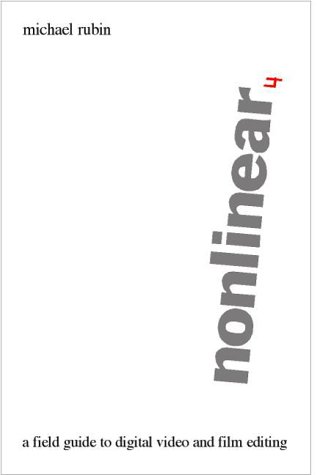
Book by Michael Rubin
- Easily edit digital photos and other images
- Crop, rotate, resize and flip photos
- Touch-up photos to remove red-eye, blemishes, reduce noise and more
- Adjust image color, hue, saturation, brightness, contrast, levels, curves and more
- Create collages and panoramas from multiple images
- 【Free Matching】: Home burglar alarm kit includes Motion Sensor, Door Sensor, Remote Controls and SOS Button accessories to choose from for window alarm, garage burglar alarm and perimeter burglar alarm. You can match it freely according to the size and needs of your family home, including One-button SOS secret call for assistance can be given to the elderly and children with strings, and you can receive the “Help” from them in time! by pressing a button.
- 【Quick and Easy Installation】:Wifi home alarm installed in minutes without prior technical knowledge. It can be connected with pins, screws and adhesive strips – all these devices are included in the package. The humble modern design is perfect for any interior.
- 【Support 2.4Ghz WiFi】The WiFi network alarm supports APP push to ensure stable and reliable alarm performance. No monthly fees and no contracts to sign with a security company.
- 【Smart Life Devices】: Wireless home alarm kit has an elegant and refined appearance. White color meets simple European style; it is plug-and-play and lightweight and can be carried with you; The WiFi network alarm supports APP push to ensure stable and reliable alarm performance; with wireless sensor Low battery voltage alarm function; supports voice command; up to 4 remote controls and 50 wireless detectors to learn storage locations.
- 【Support Alexa and Tuya】: Wireless home burglar alarm will not destroy your home decoration style and will not damage your walls; Built-in powerful CPU based on 32-bit Cortex-M3 core, Support Tuya APP Remote Control and compatible with Amazon Alexa
How to get cashback?
we approve your purchase
request button